

Let your guests in
Send friends a visitor pass before they leave home. If someone arrives unexpectedly, approve or decline the guard’s request on your phone.
Visitor passes & approvalsFor apartment and villa communities
Approve a guest at the gate, book the clubhouse, report a repair or check your maintenance dues. Resident Club brings residents, guards and your committee together.
Now on the App Store
Choose the app for your role. Sign-in is available to people whose community uses Resident Club.
Meet the apps
Two mobile apps and one committee workspace. Built around the people who use them every day.
Explore the productiPhone & Android
Invite guests, book a facility, report a repair, read notices and check maintenance dues and receipts.
iPhone & Android
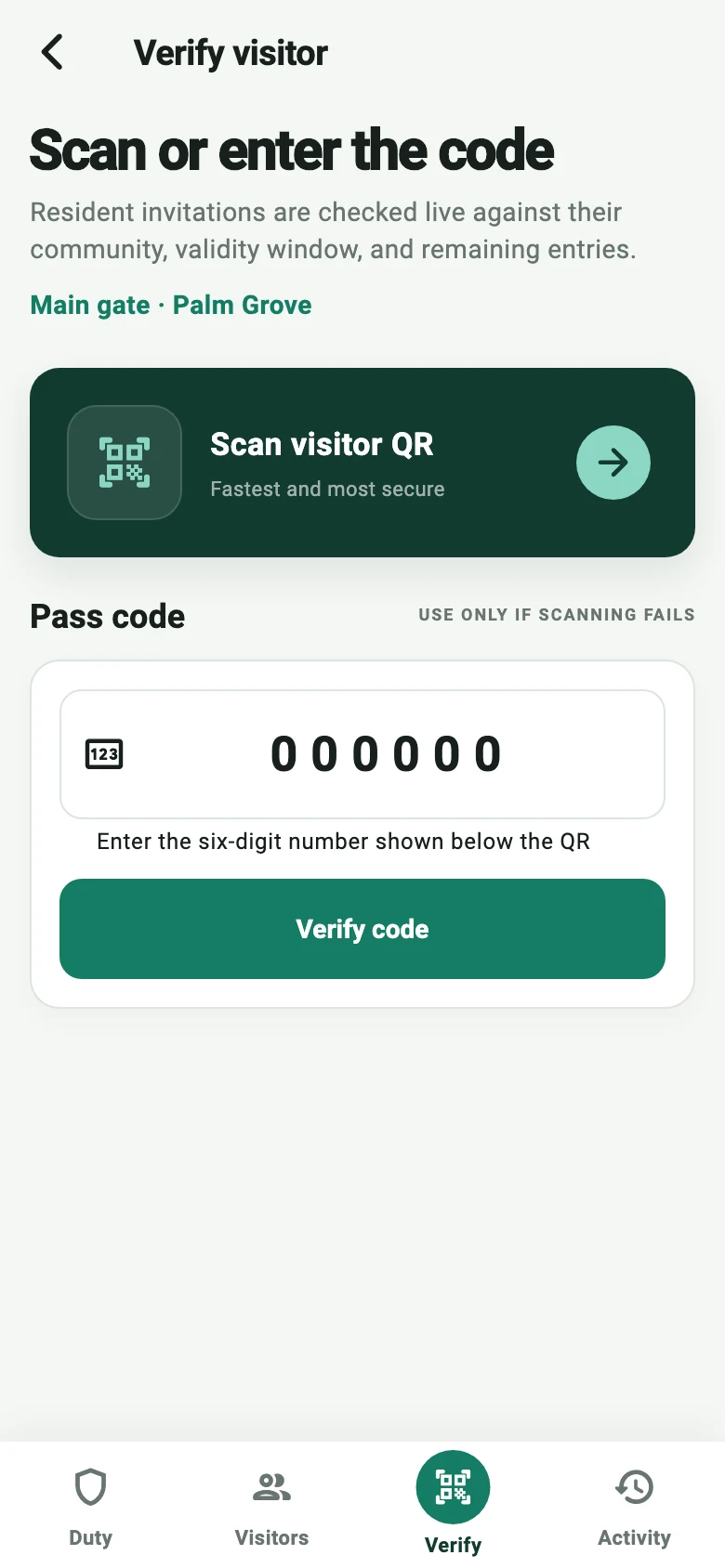
Manage assigned work, attendance and role-specific tasks, including visitor and gate operations for security teams.
Desktop browser
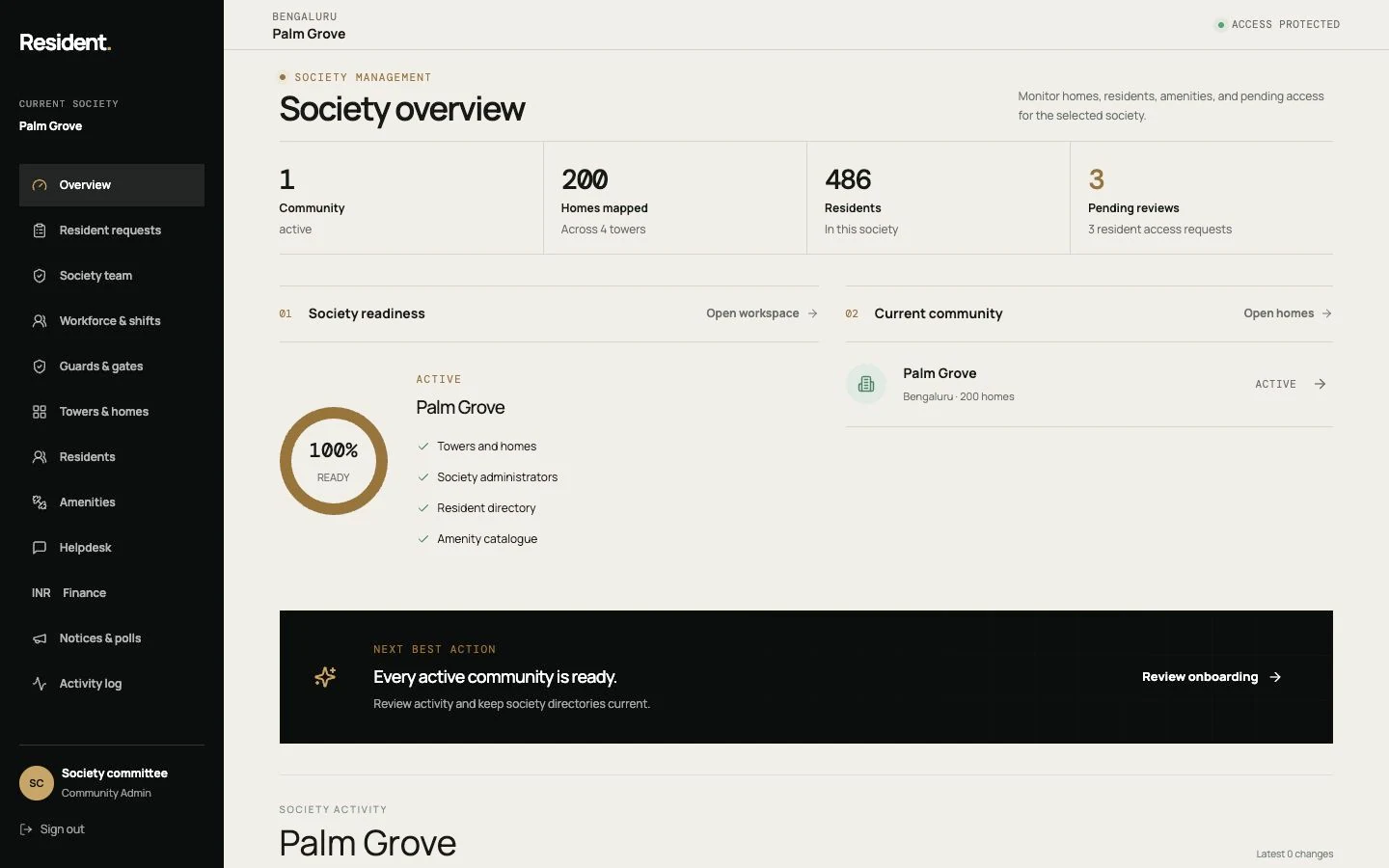
Manage homes, residents, staff and access. Follow requests, share notices and maintain society accounts.
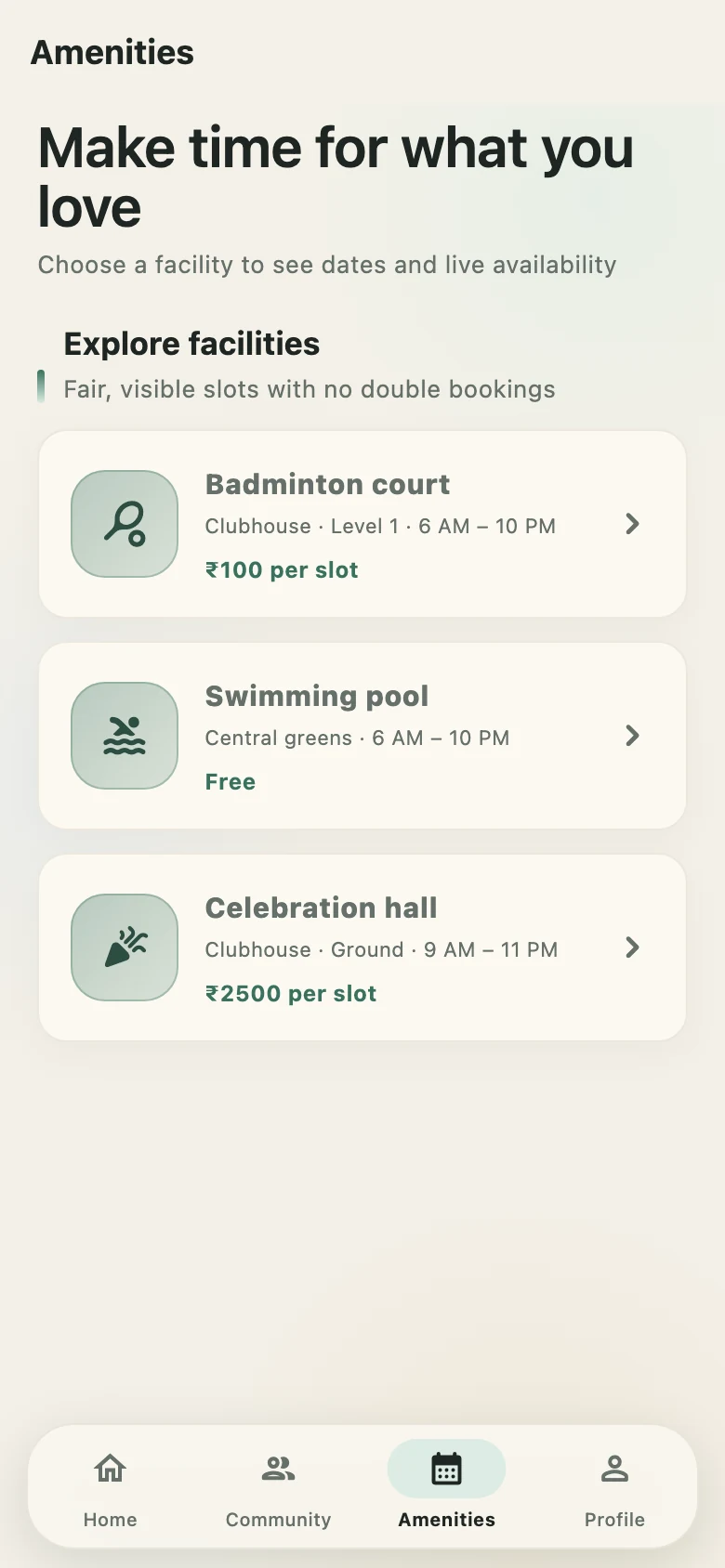
Actual app screens with sample data. Device frames are illustrative. Tap a screen to view it larger.
01 — What Resident Club does
Resident Club for residents, Resident Staff for community teams and a workspace for your committee. Everyone has the tools they need, with access suited to their role.
Send friends a visitor pass before they leave home. If someone arrives unexpectedly, approve or decline the guard’s request on your phone.
Visitor passes & approvalsAI-assisted face checks help guards match people who have chosen to enrol. The guard reviews the match; recognition is not an automatic entry approval.
Optional, with your consentGive security teams one place to check passes, record arrivals and departures, log patrols and report incidents for follow-up.
Resident Staff for every shiftA leaking tap or a broken corridor light shouldn’t get lost in a group chat. Raise a request and check its progress in the app.
Maintenance requestsManage flats, residents and staff alongside maintenance invoices and payment records. Give each team member access to the work they handle.
People, homes & accountsShare a water-shutdown notice, post a society update or ask neighbours to vote in a poll. Residents can find them in the app.
Notices, posts & polls02 — For residents
A birthday in the clubhouse, a repair at home, this month’s maintenance bill. Find what you need without calling around.
Find a free slot for the clubhouse, court or other facilities your society offers, and keep track of your bookings.
Choose a time that suits youSee the status of the issue you reported and keep the conversation with the team in one place.
Track each requestFind the water-supply update you missed or take part in a society poll, without searching through old messages.
Updates from your societyLive in one flat and own another? Switch between your homes and societies using the same account.
One account for your homes03 — Visitors & guards
Friends coming over or someone arriving without a pass—give your guard a clear way to check the visit and ask for your approval.
Choose when you’re expecting them and send a visitor pass. They have what they need before reaching the gate.
An invitation with an arrival windowYour guest shows the QR code or shares the six-digit pass code. The guard checks it in Resident Staff.
QR or six-digit codeNo pass? The guard sends you an approval request. You can see who is waiting and approve or decline from your phone.
Approve from your phoneAuthorised staff can look up when a visitor arrived and left, and review the recorded approval if there’s a question later.
A record for follow-up04 — Managed service & hosting
Choose our managed hosting, or run Resident Club on your society’s own compatible hardware to lower hosting costs. We help you choose the setup that fits your society.
We help get your society started, keep the software updated and provide support. Your committee doesn’t have to manage it alone.
Already have suitable hardware? We can use it to host your society’s services. We check compatibility and agree installation, maintenance and backup responsibilities before you start.
Guards, residents and committee members have different responsibilities. Their access reflects those roles, and face enrollment stays optional.
We do not sell personal information or use it for third-party advertising. Read our privacy policy.
05 — Simple pricing
One flat or villa counts as one unit. Everyone in the household is included, so you don’t pay extra for each family member.
Try it with your own society before deciding. We’ll help your residents, guards and committee get started.
For apartments, villas and mixed communities. ₹2,500 monthly minimum per community, before applicable taxes.
For a society with 200 homes: 200 × ₹25 = ₹5,000 per month, before applicable taxes.
The unit count includes occupied and vacant homes in your subscription. Hardware, dedicated hosting, on-site installation and custom integrations are quoted separately. Your proposal confirms the final scope, support and any messaging charges before you start.
06 — Common questions
Resident Club is managed society-management software for apartment and villa communities in India. It connects the Resident Club and Resident Staff apps with a web-based Admin workspace for visitor approvals, facility bookings, repairs, notices and maintenance records.
Apartment associations, RWAs, villa communities, residents, security teams and facility managers in India. Each role gets the app or workspace and access it needs.
Resident Club has the Resident Club app for residents and the Resident Staff app for community teams on iPhone and Android, plus an Admin workspace used in a desktop browser. App access is arranged when your community is set up.
No. Pricing starts at ₹25 per flat or villa per month, including household members. The minimum is ₹2,500 per society per month, before taxes. Occupied and vacant homes in the subscription both count. For example, 200 homes cost ₹5,000 per month before taxes.
We help your committee, residents and guards try the features agreed for your trial. The software is free for 30 days from activation, and you won’t be moved to a paid plan automatically. We confirm any separate setup or equipment costs before you start.
The per-home price is for the software subscription. Cameras, entry hardware, dedicated hosting, on-site installation and custom integrations are quoted separately if needed. Your proposal also sets out support and any messaging charges.
Yes. Use the same account for different homes and societies. Switch to the home you need to see its visitors, requests and records, based on your access to that property.
No. You choose whether to enrol and can withdraw your consent in the app. Face recognition helps the guard check identity; it does not automatically approve entry. Visitor passes and resident approvals are available separately.
Yes, if it’s compatible. Hosting on society-owned hardware can lower recurring hosting costs. We check your setup and agree who handles installation, updates, support and backups before you start. Equipment and on-site work are quoted separately.
An internet connection is needed for sign-in, visitor alerts and other connected services. The apps also need to reach your society’s services. We explain the connection requirements for your hosting setup before installation.
You can check your dues and receipts, and your society can record payments made outside the app. Online payment collection is not available yet.